Geosys AI - GeoAI platform
Go beyond data delivery with AI-powered geospatial analytics
Enable interactive analysis, GeoAI-driven insights, and a seamless client experience in one unified platform. No scripts. No SQL.
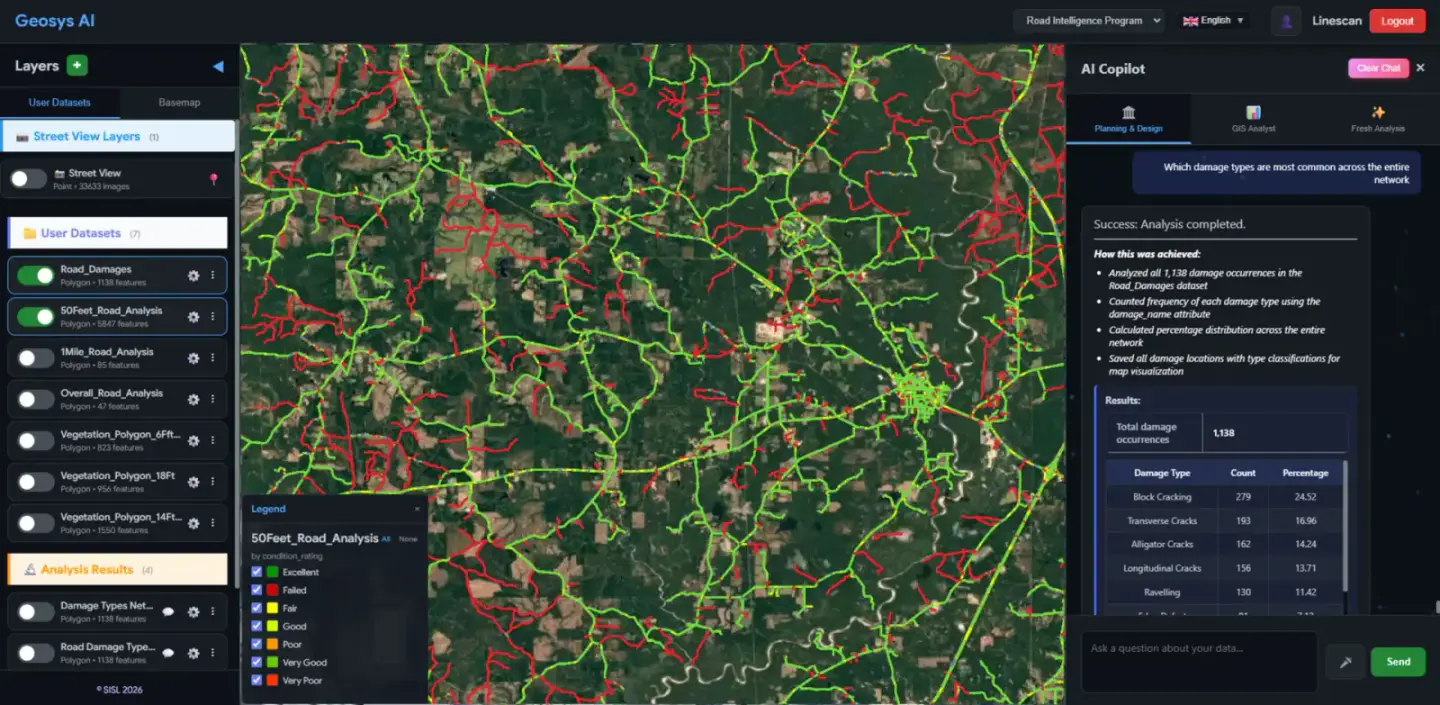
Any format in, shareable answers out
The platform
From data delivery to an intelligent analytics experience
No scripts. No SQL. The GIS platform that speaks your language.
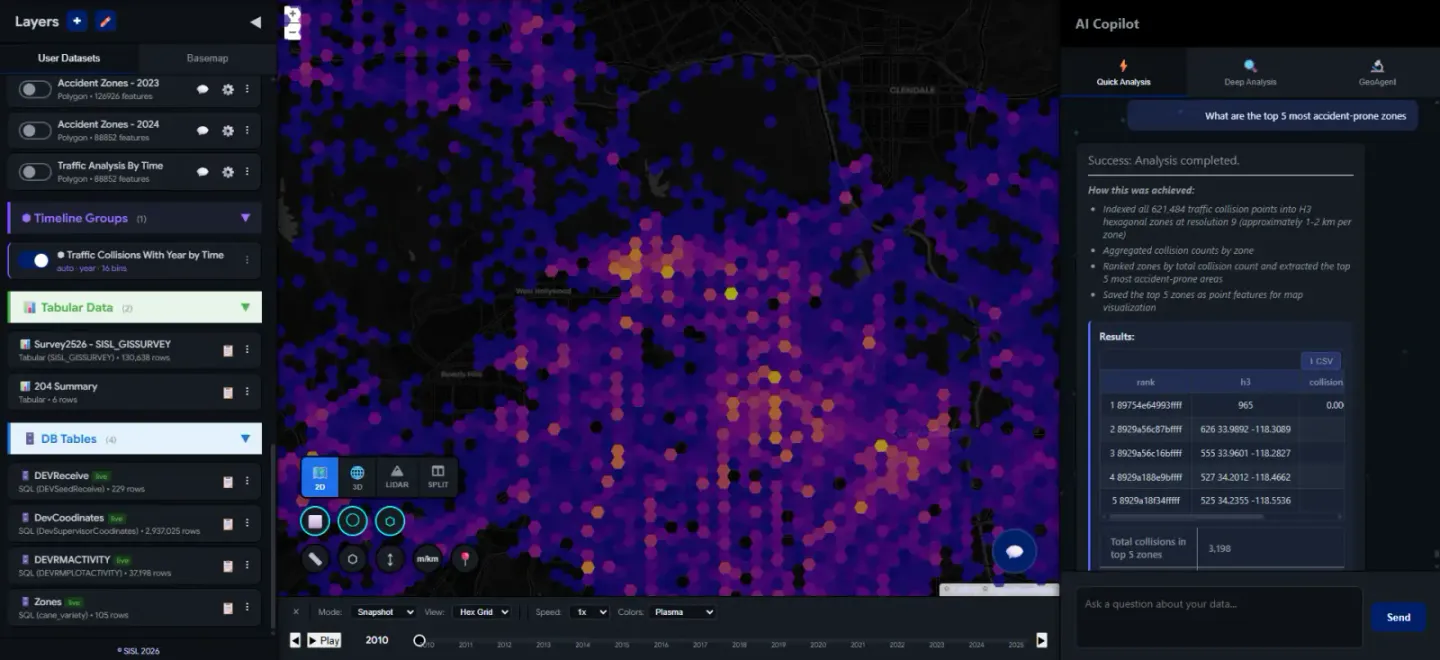
Why Geosys AI
Go Beyond Data Delivery. Deliver an Experience.
Advanced Geospatial Analytics with GeoAI - Deliver to Your Clients, Instantly
Describe your task in plain language. Geosys AI understands it, runs the spatial analysis, and delivers results as ready-to-use map layers. Every analysis is planned, checked, and independently recomputed before it is published. Turn your deliverables into read-only, browser-based portals your clients can explore with an expiry date, optional password, and an AI question budget - no software installs.
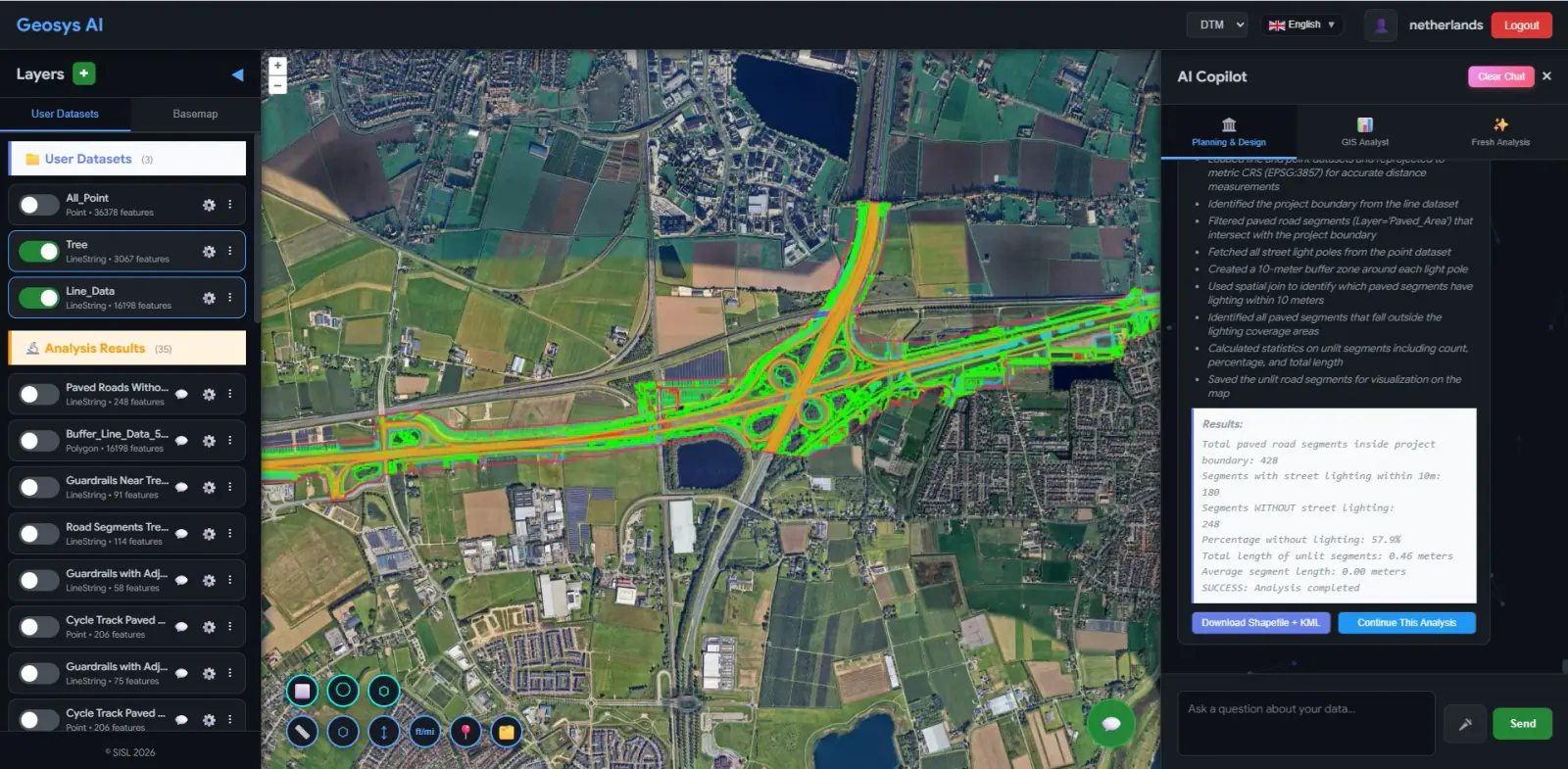
Agentic Workflows - GeoAgent
No blind automation. GeoAgent understands, clarifies, then executes.
- Asks clarifying questions before running analysis
- Lets you choose datasets, metrics, and outputs
- Builds a transparent, step-by-step workflow
- Allows you to edit, customize, and extend the logic
- Save workflows and reuse them across projects
From "Classify road segments by lighting" to a full analysis pipeline - data sourcing, spatial joins, calculations, and classification. All visible. All editable. No black box. GeoAgent is enabled per account - ask us to turn it on.
Explore GeoAgentUser asks
"Classify road segments based on how well they are lit"
GeoAgent clarifies
Which lighting dataset? Buffer radius? Classification method?
Builds workflow
Data sourcing → Spatial join → Calculate scores → Classify
You customize
Edit thresholds, swap datasets, adjust classification logic
Save & reuse
Save as a reusable workflow template for your team
All Your Data, One Intelligent Platform
Bring together orthophotos, satellite imagery, vector datasets, spreadsheets, LiDAR, 3D models, and street-level imagery - all in a single, unified environment. Join spreadsheets to spatial layers, turn X/Y columns into points, and connect live SQL Server or PostgreSQL tables. Visualize everything together without switching tools.
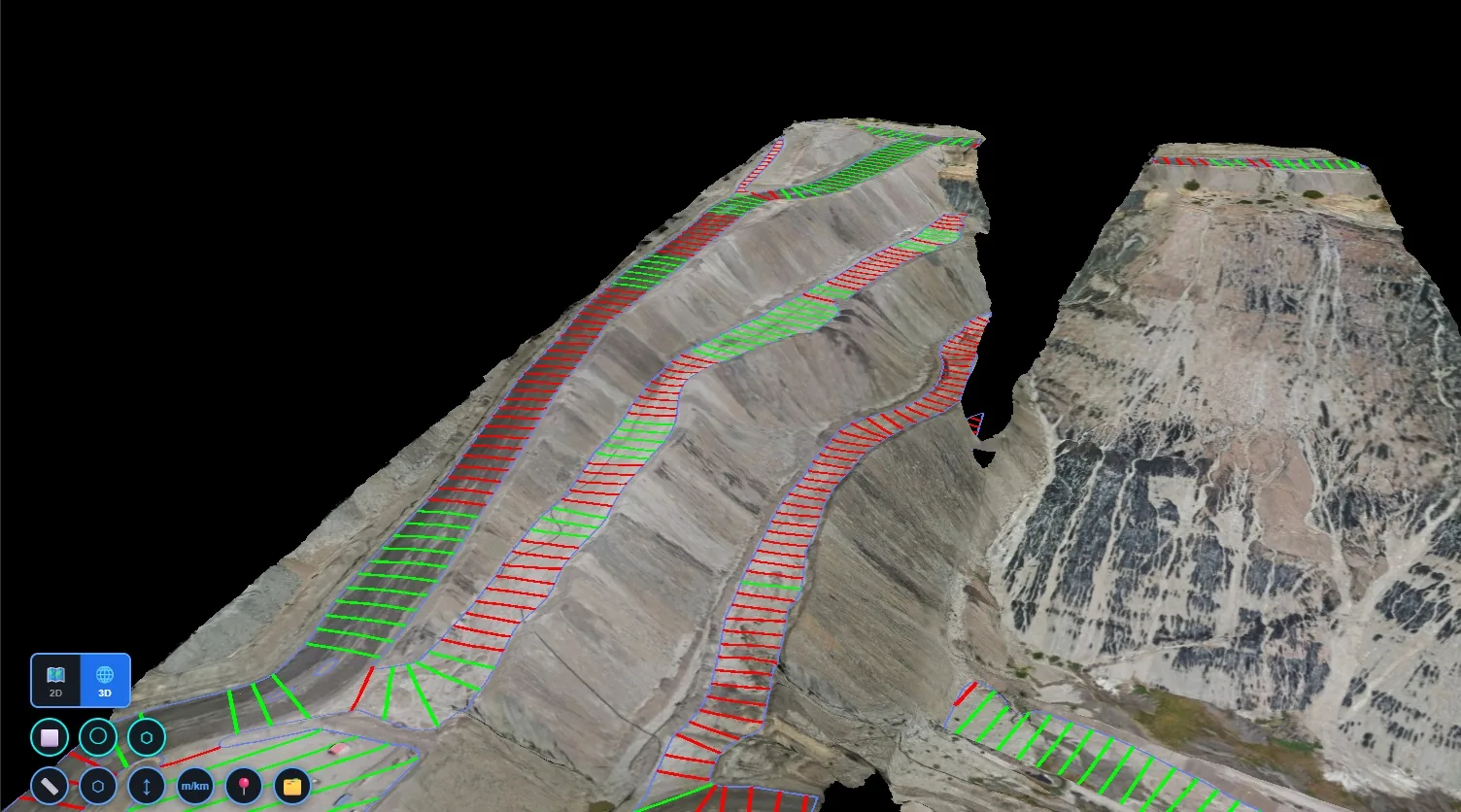
White-Labelled Platform
Deploy Geosys AI under your own brand - custom logo, domain, and colors. Fine-grained permissions let you control access per project.
TerraVision Surveys
Cost-Effective Pricing
View GIS data, orthophotos, LiDAR point clouds, and 3D models in one subscription, without desktop GIS licenses for your viewers or clients. Talk to us about plans.
Everything included:
How It Works
Three steps. That's it.
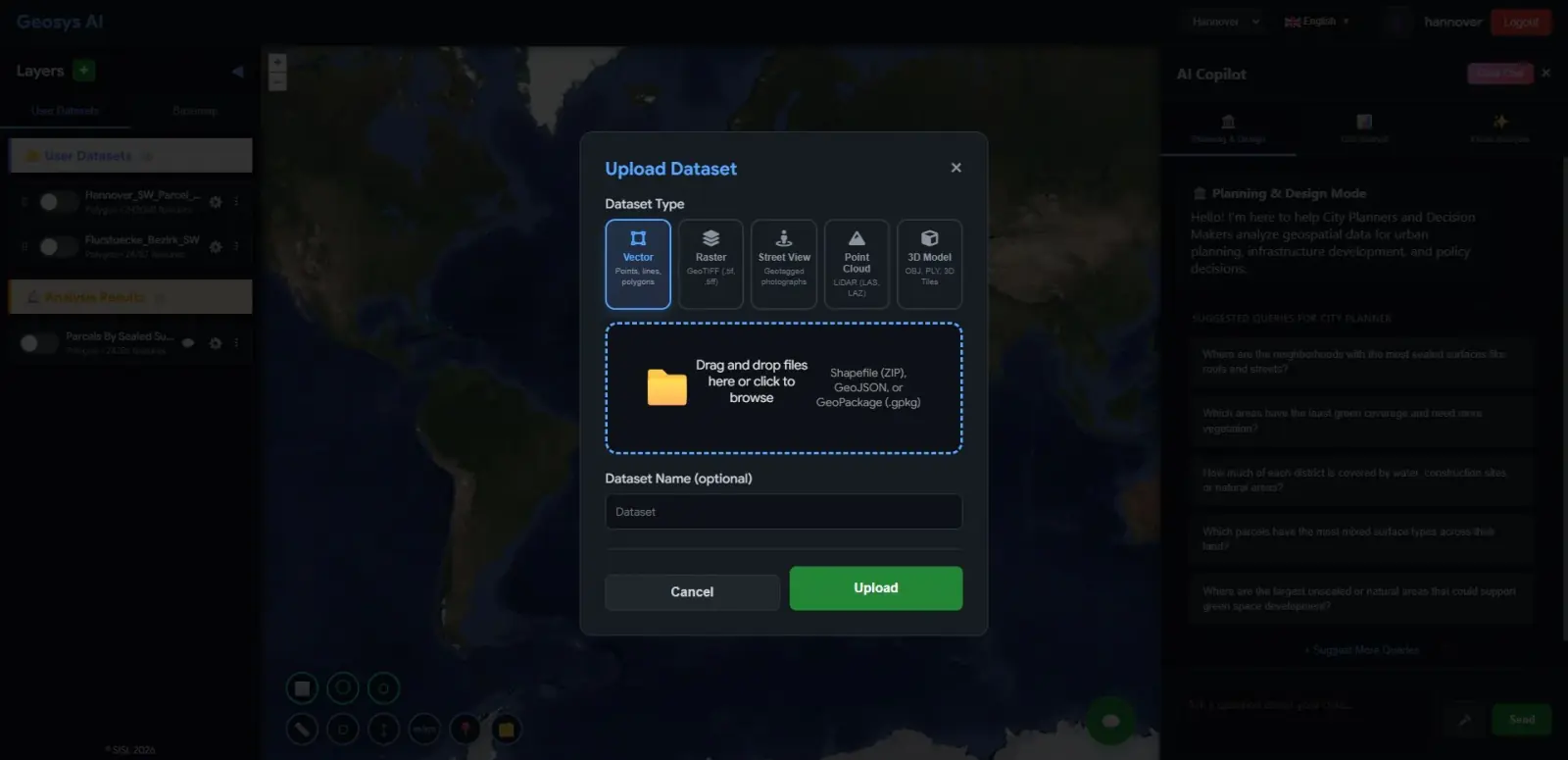
Upload Your Data
Drag and drop Shapefile, GeoJSON, GeoPackage, zipped Esri File Geodatabase, GeoTIFF, CSV or Excel, LiDAR, and 3D models. Vector data appears on the map quickly, and larger rasters, point clouds, and 3D models process in the background.
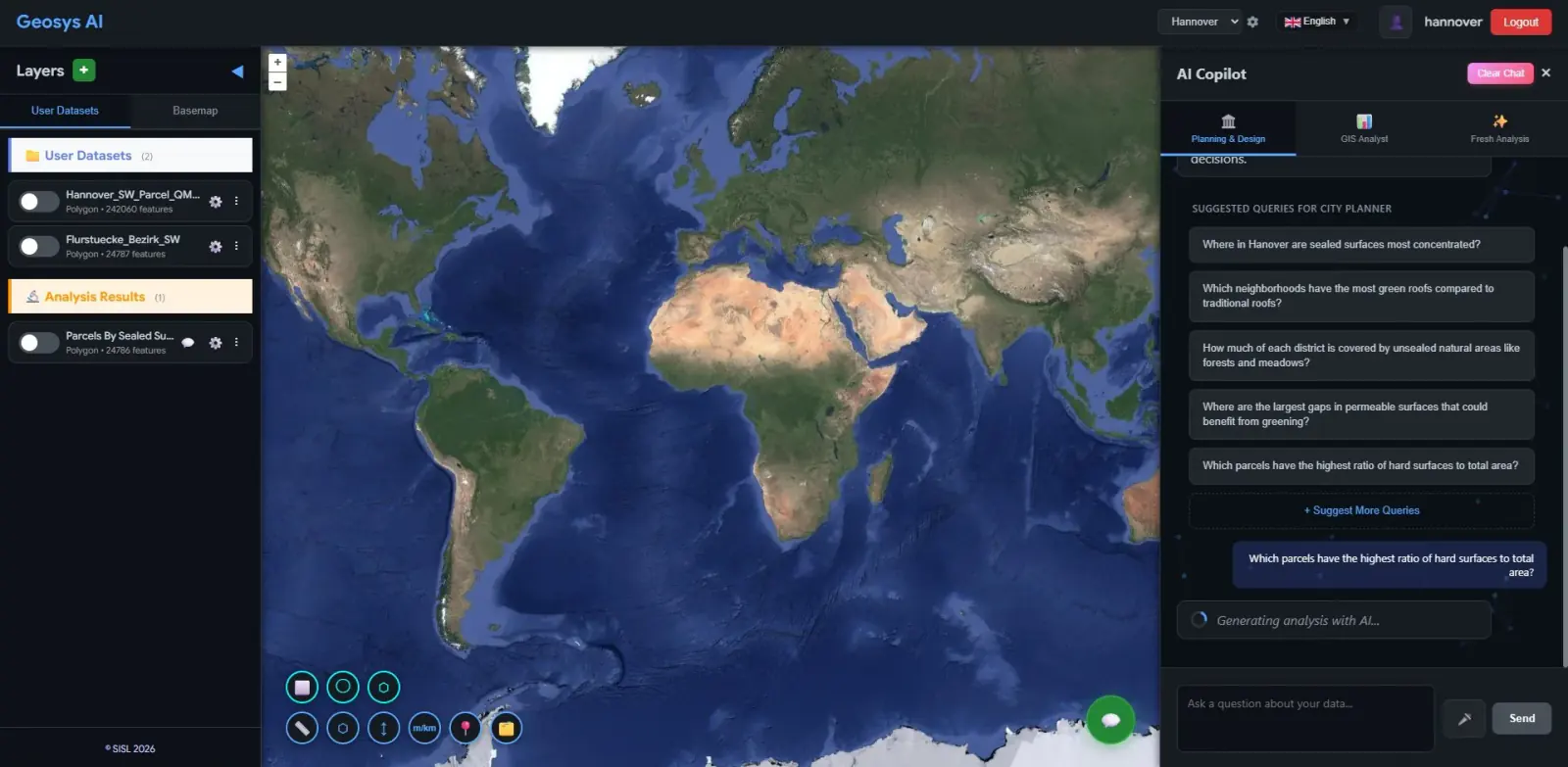
Ask a Question
Plain language, no code needed. Describe what you want to know, and the AI plans the analysis, runs it on your data, and checks the result before publishing.
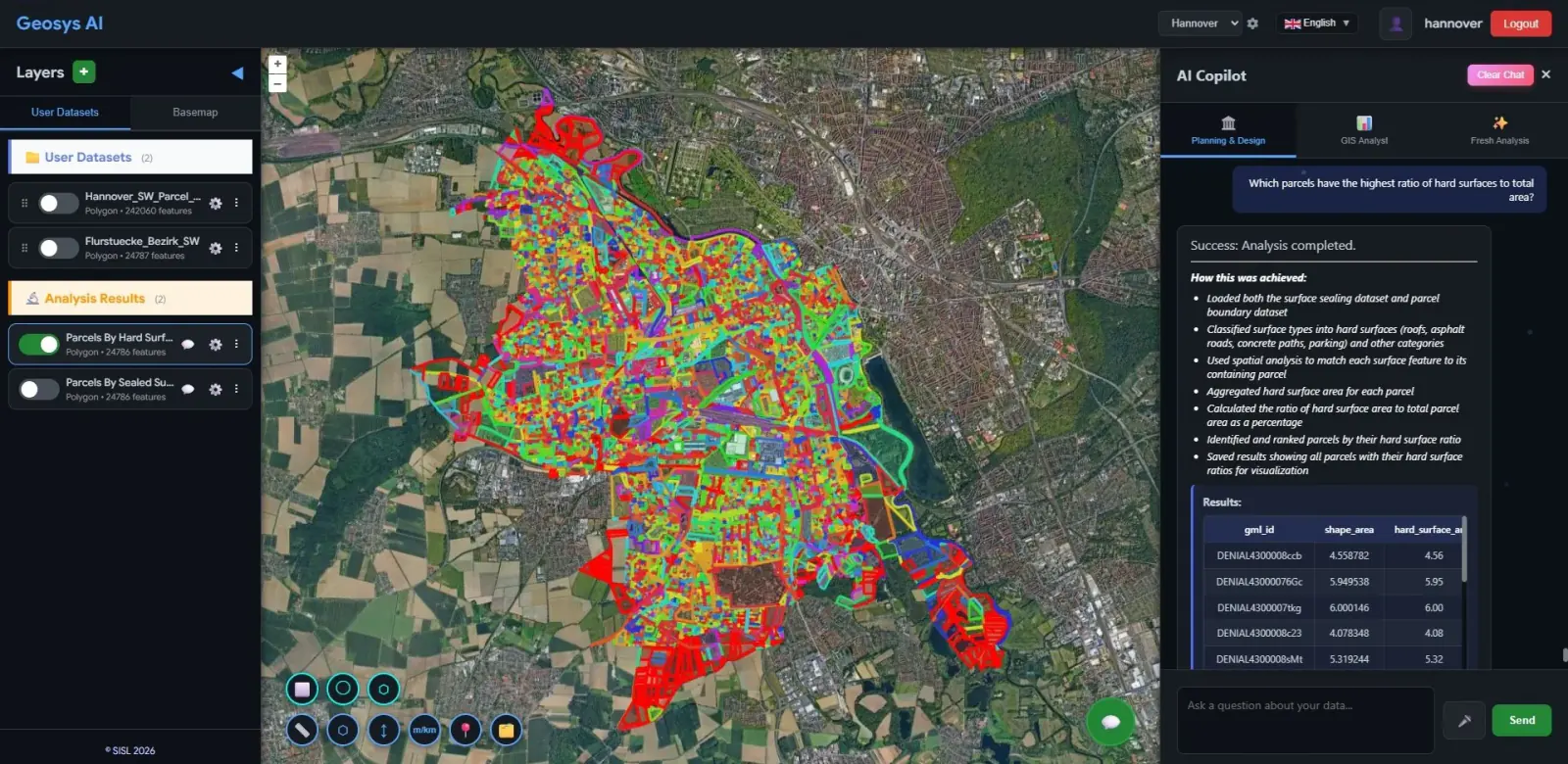
Get a Live Map Result
A styled result layer appears on your map, ready to inspect, export, or share with your project or clients.
Platform
Everything you need in one platform
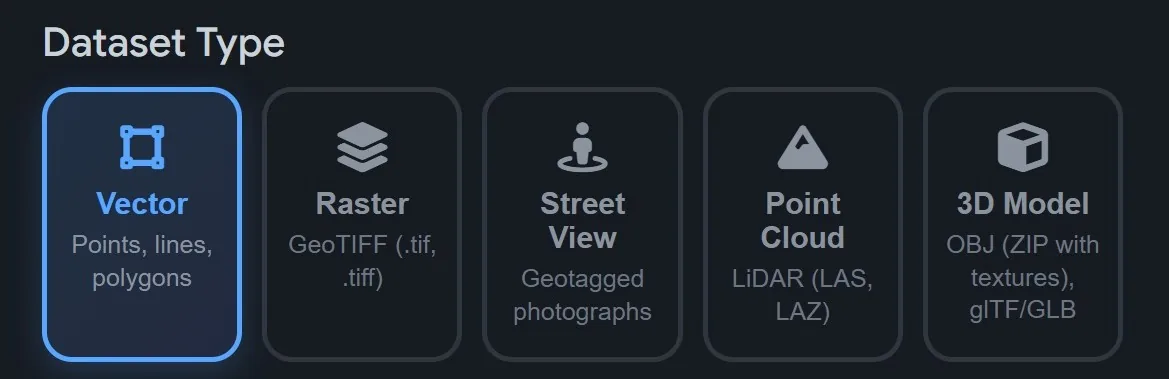
Upload Your Data, Your Way
Upload vector data (Shapefile, GeoJSON, GeoPackage, zipped Esri File Geodatabase, or a ZIP holding several datasets), rasters (GeoTIFF), spreadsheets (CSV, Excel), point clouds (LAS, LAZ, E57), and 3D models (OBJ, GLB, 3D Tiles) from one drag-and-drop interface. CAD drawings (DXF/DWG) and georeferenced PDFs are available on request.
Built for field-heavy industries
Resources
Guides and comparisons
Step-by-step guides on LiDAR surveys, AI connectors and client sharing, plus side-by-side comparisons with other GIS platforms. For everything the product covers, see the platform feature list.
Guides
Stockpile Volume Calculation From a LiDAR Point Cloud
Stockpile volume calculation from a LiDAR point cloud: build a surface model, draw a polygon, read fill, cut and net volume, and verify the result.
AI for GIS: Connect Claude and ChatGPT to Your GIS Data With MCP
AI for GIS: how the Geosys AI connector lets Claude or ChatGPT read, analyze and control your GIS projects, with scoped access. Available on request.
How to Share a GIS Project With Clients Without Accounts
Share GIS projects with clients using read-only links and portals: required expiry, optional password, comment controls, AI budgets and isolated sessions.
How to Use an Online Point Cloud Viewer for LAS, LAZ and E57
Online point cloud viewer for LAS, LAZ and E57 files: upload, confirm the EPSG, switch color modes, measure, export and keep large files on local storage.
Comparisons
Geosys AI vs Atlas: GIS Platform Comparison
A fair, sourced comparison of Geosys AI and Atlas: AI mapping, data formats, LiDAR, field capture, client sharing and pricing model, reviewed September 2026.
Geosys AI vs CARTO: GIS Platform Comparison
A fair, sourced comparison of Geosys AI and CARTO: warehouse scale, AI assistants, LiDAR, field capture, client sharing and security. Reviewed September 2026.
Ready to deploy?
Get a demo, pricing, and a pilot plan tailored to your data stack.